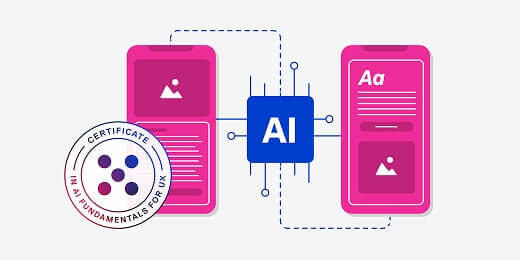
How can you use AI in your work?
The question is no longer if AI belongs in UX, but how you can leverage it to work smarter.
AI provides powerful tools for designers to speed up repetitive tasks, synthesise mountains of user feedback, and generate starting points for complex problems.
It can be extremely valuable if used responsibly, and if you know exactly where it falls short of human judgment.
This guide provides practical resources created by experts in the field for all designers to add to their toolbox.
From glossaries to tools, prompts, and industry insights, consider this your roadmap to becoming an AI-powered UX professional.
In this guide, we’ll cover:
- The basics: Getting the terminology right
- Knowing which tools to use
- Getting to action: Best practices, prompts, and transparency
- Industry insights, reports, and blogs
- Specialised AI fields in UX
1. Speak the language: Essential AI terminology for designers
Before you can effectively use AI in your design process, you need to speak the language.
Using the right terminology establishes credibility, helps you communicate effectively with developers and stakeholders, and ensures you actually understand the capabilities (and limitations) of the tools you are using.
AI for UX glossaryKnowing the vocabulary is the first step to knowing the technology. |
|
| A comprehensive glossary breaking down essential AI jargon into accessible concepts for UX professionals. | |
Finding the right tools for the job
We rounded up the best resources and tools to use so you don’t have to waste time testing tools that don’t deliver.
The AI landscape moves at breakneck speed, with new plugins, platforms, and features launching daily.
The goal isn’t to adopt every tool available, but to select the right ones that seamlessly integrate into your specific workflow.
Whether you are wireframing interfaces, conducting generative user research, or writing product microcopy, there is an AI tool designed to take the heavy lifting off your plate.
Figma & UI prototypingThese resources focus on the visual and interactive side of AI-assisted design. |
|
| A curated list of top-performing Figma plugins to automate repetitive UI tasks and speed up your workflow. | |
| An updated breakdown of the most powerful prototyping platforms, highlighting new AI-assisted features. | |
| A tactical guide to mastering Figma’s native AI capabilities to generate designs and organise your canvas. | |
User research & discoveryAI is transforming how we gather, synthesise, and understand user data. These tools help with participant recruitment, transcription, competitive analysis, and qualitative synthesis. |
|
| Platforms leveraging AI for participant recruitment, interview transcription, and qualitative data analysis. | |
Content Design & UX WritingThese resources focus on using AI to write, edit, and scale product microcopy and conversational interfaces. |
|
| Specialised tools designed to help UX writers and content designers generate, edit, and scale copy. | |
General UX & ideation assistantsThese are your everyday AI co-pilots and industry overviews. Use these resources for brainstorming, strategic planning, and understanding the broader AI software landscape. |
|
| A forward-looking guide to the most impactful AI software transforming the UX industry right now. | |
| Practical use cases for integrating Gemini into your daily workflow, from brainstorming to technical troubleshooting. | |
| A guide to leveraging Midjourney’s image generation capabilities to brainstorm UI concepts, create unique visual assets, and accelerate your visual design process. | |
| A deep dive into using Perplexity’s citation-backed search engine for competitive analysis and UX research. | |
3. Prompts, ethics, and daily execution
Once you have the tools, you need the right techniques.
Crafting effective prompts is now a core design skill in the AI era.
More importantly, designing for AI requires a deep understanding of trust, transparency, and the “human-agent handoff.”
Users need to understand when they are interacting with AI, how it makes its decisions, and how they can take control when the AI fails.
These guides will help you navigate the ethical and practical applications of AI in your daily work.
Designing AI interfacesAs AI moves from backend processing to front-end conversational agents, designers need to learn the new rules of Machine Experience (MX). These resources cover the mechanics of designing chatbots and LLM-powered search. |
|
| Essential rules for creating helpful, non-intrusive chatbots, complete with examples of what to avoid. | |
| A comprehensive guide to designing conversational user interfaces, covering conversation flows, error handling, and best practices for human-like chatbot interactions. | |
| Exploring the shift from traditional search bars to conversational LLM interfaces and the new MX paradigm. | |
Trust & human-AI collaborationUsers won’t use an AI system they don’t trust. These guides focus on the ethical side of AI design, including transparency, explainability, and what happens when the AI fails and a human needs to step in. |
|
| Strategies for building transparent AI systems that clearly communicate their reasoning and limitations to users. | |
| Best practices for designing seamless, frustration-free transitions between AI automation and human intervention. | |
Workflow hacks & promptingReady to get hands-on? These resources are packed with actionable advice, cheat sheets, and practical strategies for incorporating AI directly into your daily design and research workflows. |
|
| A cheat sheet of highly effective prompts for ideation, user persona generation, and content creation. | |
| How to ethically and effectively use AI to synthesise research data and uncover deeper user insights. | |
| Actionable methods for incorporating generative AI into your daily routine without sacrificing output quality. | |
4. Staying informed: The best blogs, reports, and deep dives
Staying relevant means keeping a pulse on where the industry is heading.
AI isn’t killing UX design; it’s evolving it. The role of the designer is shifting away from pixel-pushing and toward strategic leadership, critical thinking, and complex problem-solving.
Here is what the data, the reports, and the industry pioneers are saying about the future of UX work.
Job security & the reality of AIIs AI coming for your job? These articles cut through the hype and panic, offering data-driven insights and grounded perspectives from industry veterans on what AI will actually automate. |
|
| Data-driven insights debunking the myth that AI will eliminate the need for UX and design professionals. | |
| An honest look at which design tasks will be automated and which human skills will become infinitely more valuable. | |
| Industry pioneer Jakob Nielsen shares his grounded perspective on what AI can and cannot do for UX. | |
Strategic leadership & evolving rolesAs AI takes over the execution of repetitive tasks, the UX designer’s role is shifting. These resources explore how to transition from being a tactical “pixel pusher” to a strategic business leader. |
|
| An analysis of how AI tools are elevating UX designers from tactical makers to high-level strategists. | |
| How AI allows designers to focus on broader business goals rather than getting bogged down in manual tasks. | |
| A comprehensive breakdown of the modern UX job market, defining 19 distinct roles and how they have evolved alongside new technologies. | |
| A detailed breakdown of how the UX job market is evolving in 2026, highlighting the most in-demand roles, specialized skills, and how to stay competitive. | |
Core skills & the human elementWhat exactly do hiring managers want to see on your resume right now? These guides cover the specific technical skills you need to learn, alongside the irreplaceable human traits (like empathy and ethics) you need to protect. |
|
| A checklist of the specific AI proficiencies hiring managers are actively looking for in top UX candidates. | |
| How designers are using agentic AI to build systems, and the core skills required to do it well. | |
5. Deepen your expertise: AI across UX disciplines
Ready to formalise your knowledge?
If you want to move beyond reading articles and dive into structured learning, these specialised certificates offer deep dives into how AI applies to specific UX disciplines.
AI training programmes for UX professionalsReady to get certified? Level up your skillset with structured, expert-led courses covering AI in research, prototyping, and foundational UX. |
|
| A foundational curriculum covering the core principles of using AI safely and effectively in design. | |
| A specialised programme focused on leveraging AI for planning, analysing, and reporting on user data. | |
| Hands-on training for using AI to rapidly generate, test, and iterate high-fidelity prototypes. | |
While the sheer volume of new tools, shifting job titles, and evolving best practices can feel overwhelming, you now have a curated roadmap to navigate this transition with confidence.
The most successful designers in this new era won’t be those who blindly hand their workflows over to machines, but those who strategically use AI to amplify their own creativity, empathy, and problem-solving skills.
Bookmark this guide, start experimenting with a new tool or prompt this week, and continue refining your unique human judgment, because that is the one skill an algorithm can never replicate!