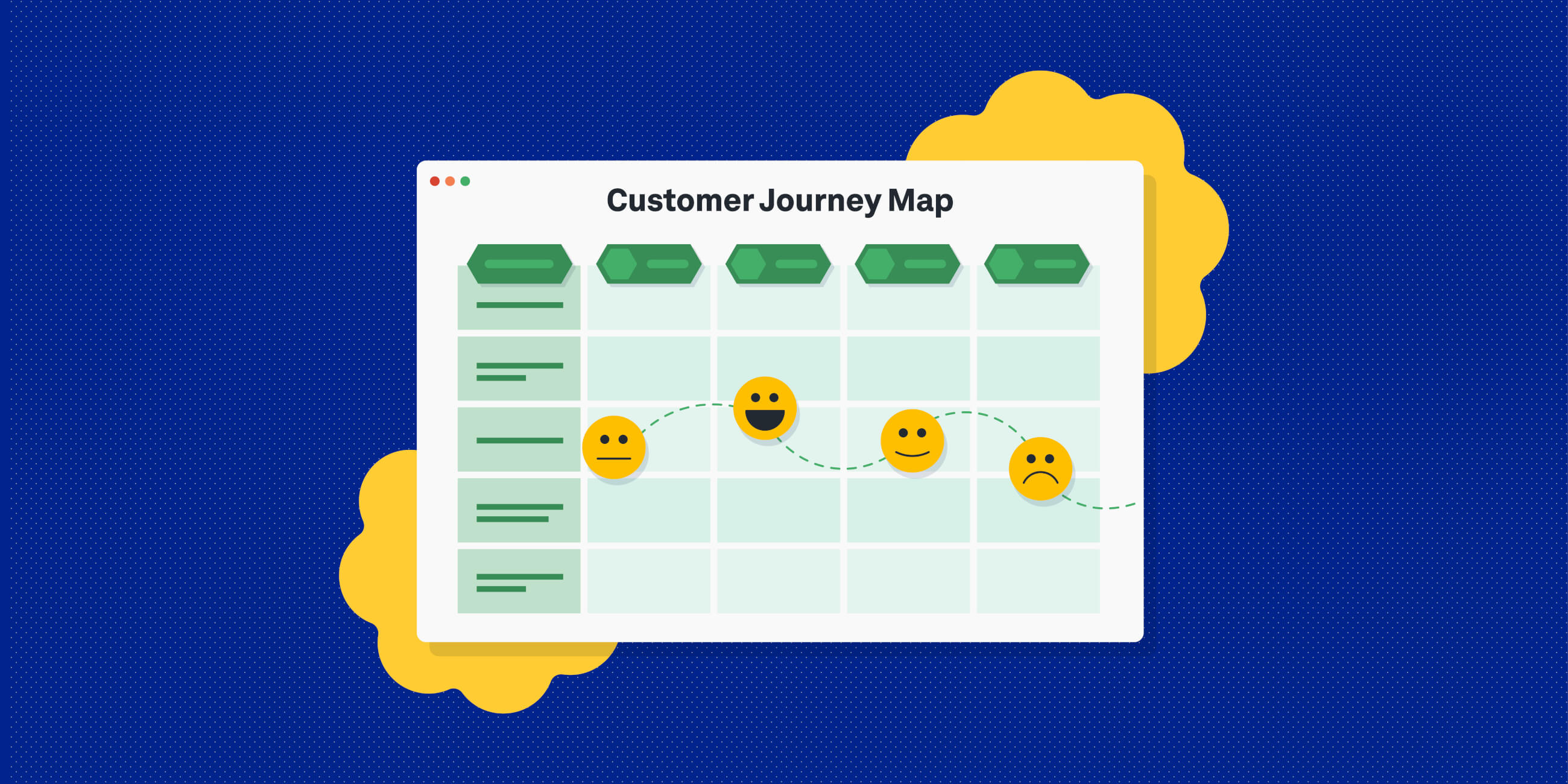
A customer journey map is a visual representation of how a user interacts with your product across touchpoints, stages and emotions. Successful UX design is rooted in empathy. The best designers are able to step into their users’ shoes and imagine what they think, feel and experience as they interact with a product or service. One of the most effective ways to foster user empathy and consider different perspectives is to create customer journey maps. In 2026, journey mapping remains a core UX practice. While AI tools can support analysis and speed up mapping, the most effective journey maps are still grounded in real user research and human insight. If you’re new to journey mapping, look no further than this guide.
What is a customer journey map?
A customer journey map (otherwise known as a user journey map) is a visual representation of how a user or customer interacts with your product. It maps out the steps they go through to complete a specific task or to achieve a particular goal, for example, purchasing a product from an e-commerce website or creating a profile on a dating app. Where does their journey begin? What’s their first point of interaction with the product? What actions and steps do they take to reach their end goal? How do they feel at each stage? You can answer all of those questions with a customer journey map. In simple terms, it shows:
- The stages a user goes through
- The actions they take
- The touchpoints they interact with
- Their thoughts, emotions and pain-points
Why create customer journey maps in 2026?
Customer journey maps are still one of the most effective ways to connect user insight to product decisions. They help teams:
- Build real user empathy, grounded in behaviour not assumptions
- Identify friction and pain-points across the experience
- Spot opportunities for improvement or innovation
- Align teams and stakeholders around a shared understanding
In 2026, journey maps also play an important role in evaluating where AI supports the experience and where it creates friction. Knowing where and how to use AI for real impact, and where it risks undermining human insight, is becoming a key skill for UX teams. If you want to explore this in more depth, learn more about the Certificate in AI for User Research.
When should you create a customer journey map?
You can use journey maps at multiple stages of the design process:
- Discovery and research: to understand current user behaviour
- Ideation: to test and visualise new concepts
- Design and prototyping: to define required touchpoints
- Optimisation: to identify gaps in existing experiences
They are especially useful when introducing AI features, helping teams understand how automation impacts real user journeys.
What are the key elements of a customer journey map in 2026?
Most journey maps include:
- A user persona
- A defined scenario or goal
- Journey stages or phases
- Touchpoints and interactions (including AI-driven touchpoints such as chatbots or recommendation systems)
- User actions
- Thoughts and questions
- Emotions
- Pain-points
- Opportunities for improvement using AI
- Moments of automation vs. human interaction (where AI supports the experience and where human input is needed)
- Data signals or behavioural insights (where relevant, based on research or analytics)
These elements ensure your map connects behaviour, experience and actionable insight, while also helping teams understand where AI enhances the journey and where it may introduce friction.
What are the best customer journey map templates in 2026?
Here are some of the most effective, free and widely used templates that we recommend for 2026, depending on your workflow:
1. Miro’s customer journey map template
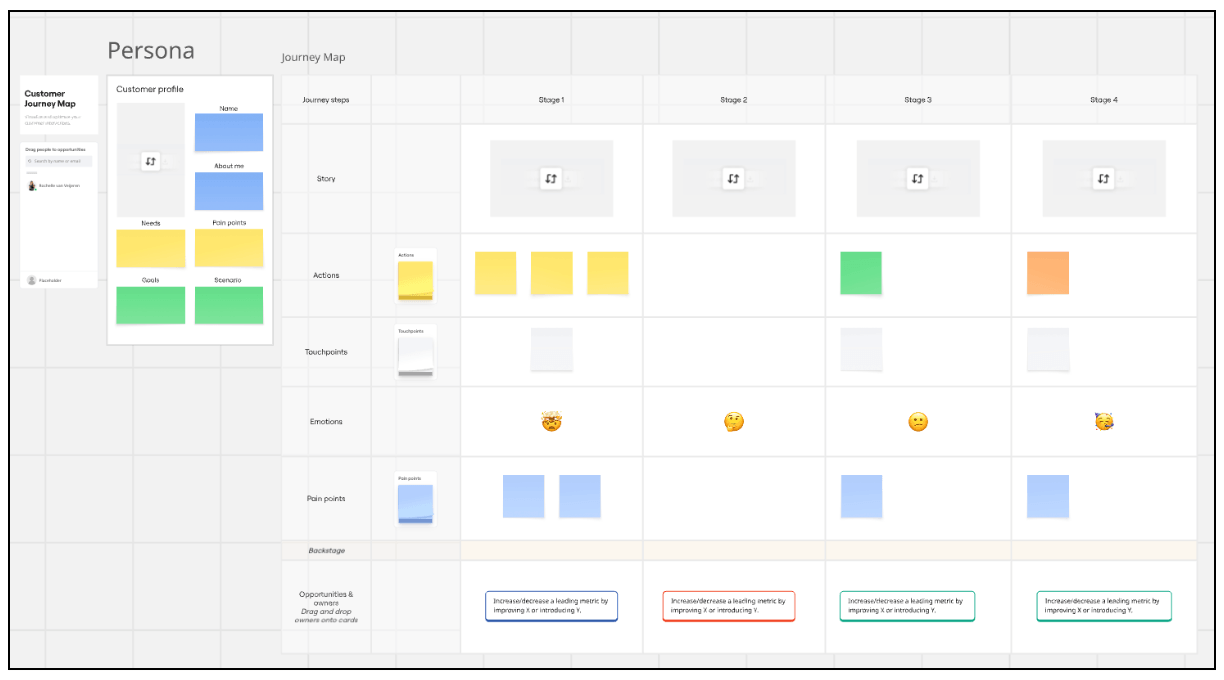 Best for: collaborative teams and workshops Miro offers flexible, visual templates that are ideal for mapping journeys with stakeholders in real time. You can customise stages, add sticky notes and collaborate easily across teams.
2. Canva’s customer journey map template
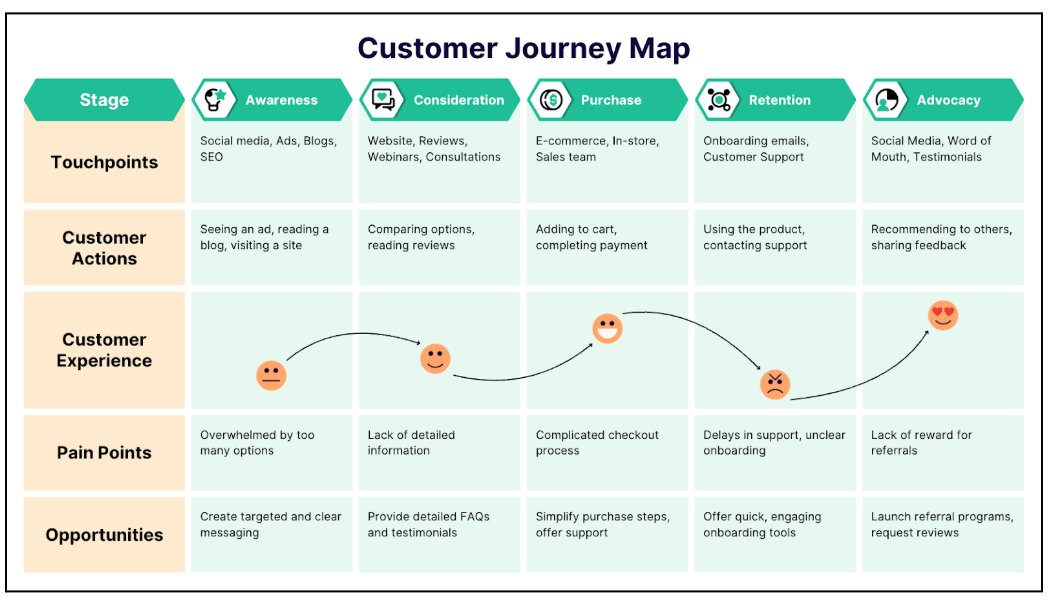 Best for: quick, presentation-ready outputs Canva provides clean, easy-to-use templates that are ideal for creating polished journey maps for stakeholders or presentations.
3. Lucidchart’s customer journey map template
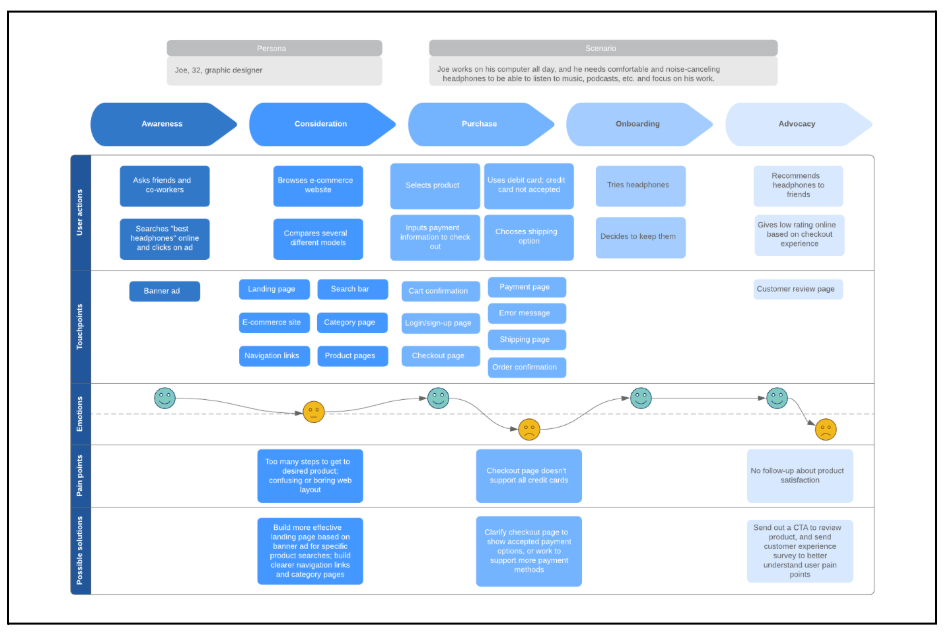 Best for: structured, process-driven mapping Lucidchart is useful for teams who want more structured diagrams and clearer system-level views of journeys.
4. FigJam / Figma’s customer journey map template
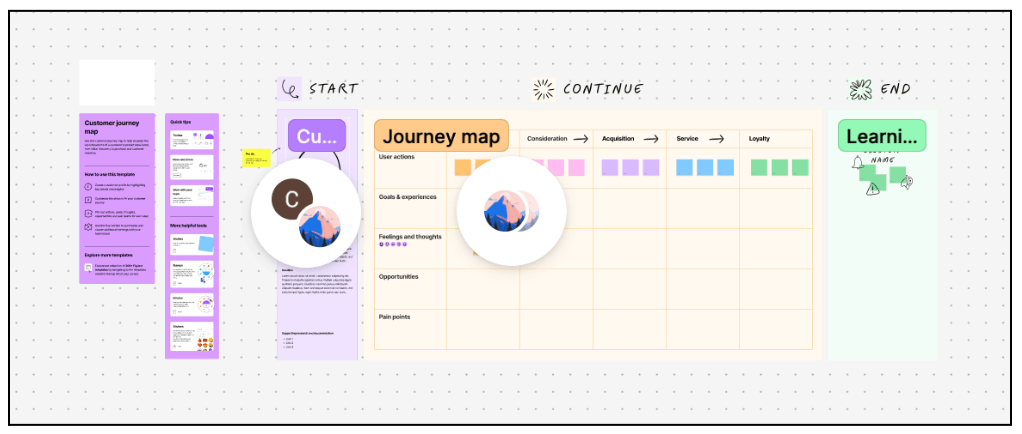 Best for: design-integrated workflows FigJam templates are ideal for teams already working in Figma, allowing journey maps to sit alongside wireframes and prototypes.
|
How to create a customer journey map (step-by-step)
Here’s how to create a user journey map in 6 steps:
- Choose a customer journey map template (or create your own)
- Define your persona and scenario
- Outline key stages, touchpoints, and actions
- Fill in the user’s thoughts, emotions and pain-points
- Identify opportunities
- Define action points and next steps
Let’s take a closer look.
1. Choose a customer journey map template (or create your own)
The easiest way to create a user journey map is to fill in a ready-made template. Tools like Miro, Lucidchart, Canva and FigJam all offer customer journey map templates that you can customise to suit your needs. If you’re working with research tools like Dovetail, you can also map journeys directly from tagged research data. Some tools now use AI to help cluster themes, group insights or generate first-draft journey structures. These can speed up early stages, but should support, not replace, your interpretation.
2. Define your persona and scenario
Each journey map should represent a specific user journey from the perspective of a specific user persona. Determine:
- Which persona you’re focusing on
- What goal or task they’re trying to complete
Where possible, base this on real user research rather than assumptions. Add your persona and scenario clearly at the top of your journey map. AI can also help identify patterns across different user segments by clustering research data and highlighting behavioural differences. For example, first-time users may hesitate at checkout, while returning users move through quickly. These patterns can help you refine your journey map and design more targeted improvements, but still need to be interpreted with human judgement.
3. Outline key stages, actions and touchpoints
Now map out the journey itself. Start by breaking the experience into high-level stages. For example:
- Awareness
- Consideration
- Decision
- Use
- Advocacy
Within each stage, identify:
- The actions the user takes
- The touchpoints they interact with (such as websites, apps, emails or support channels, including AI-driven touchpoints like chatbots or recommendations where relevant)
AI can help analyse behavioural data or highlight common paths across journeys, but mapping should reflect the real experience, not just system logic.
4. Fill in the user’s thoughts, emotions and pain-points
Next, step into your user’s shoes. For each stage, capture:
- What the user is thinking
- How they are feeling
- Any friction or challenges they encounter
If you’re working with large volumes of research, AI tools can help organise, tag or summarise qualitative data.
5. Identify opportunities
Once you’ve mapped pain-points, turn them into opportunities for improvement. For example:
- Missing information: clearer content or onboarding
- Confusing steps: simplified flows or interactions
AI can support by surfacing recurring issues or suggesting areas of optimisation, but prioritisation should be based on user impact and business context. Frame each opportunity as a clear action, and where possible, assign ownership.
6. Define action points and next steps
A journey map should lead to action. Share your map with stakeholders and align on:
- What changes will be made
- Who is responsible
- What success looks like
AI can help track patterns over time or monitor changes in user behaviour, but it’s up to teams to translate insights into meaningful product decisions. Use your journey map to inform design decisions, prioritise improvements and guide the next iteration of your product.
Customer journey maps in UX: the takeaway
That’s a wrap for customer journey maps. With the right template and a clear step-by-step approach, you can create journey maps that help you better understand how users experience your product. In 2026, journey mapping remains a practical and valuable tool. While AI can support tasks like organising research or identifying patterns, the real impact comes from how well you interpret those insights and apply them to your design decisions.
|
Use your journey maps to build empathy, align stakeholders and, most importantly, turn insights into action. When grounded in real user behaviour, they become a powerful way to guide meaningful product improvements.
Next steps
If you’d like to continue building your UX research skills, explore:
- AI in user research: unlocking new opportunities
- Top AI UX research tools: How to power up your user research (updated for 2026)
- How to choose the right user research techniques for your design project
Or, if you want to learn how to integrate AI into your research practice while keeping human insight at the core, explore our Certificate in AI for User Research.

Emily is a professional writer and content strategist with an MSc in Psychology. She has 8+ years of experience in the tech industry, with a focus on UX and design thinking. A regular contributor to top design publications, she also authored a chapter in The UX Careers Handbook. Emily also holds a BA in French and German and is passionate about languages and continuous learning.