When designing a new product or feature, you want to make sure that it’s usable and user-friendly before you get it developed. And, even once a product has launched, it’s important to continuously evaluate and improve the user experience it provides.
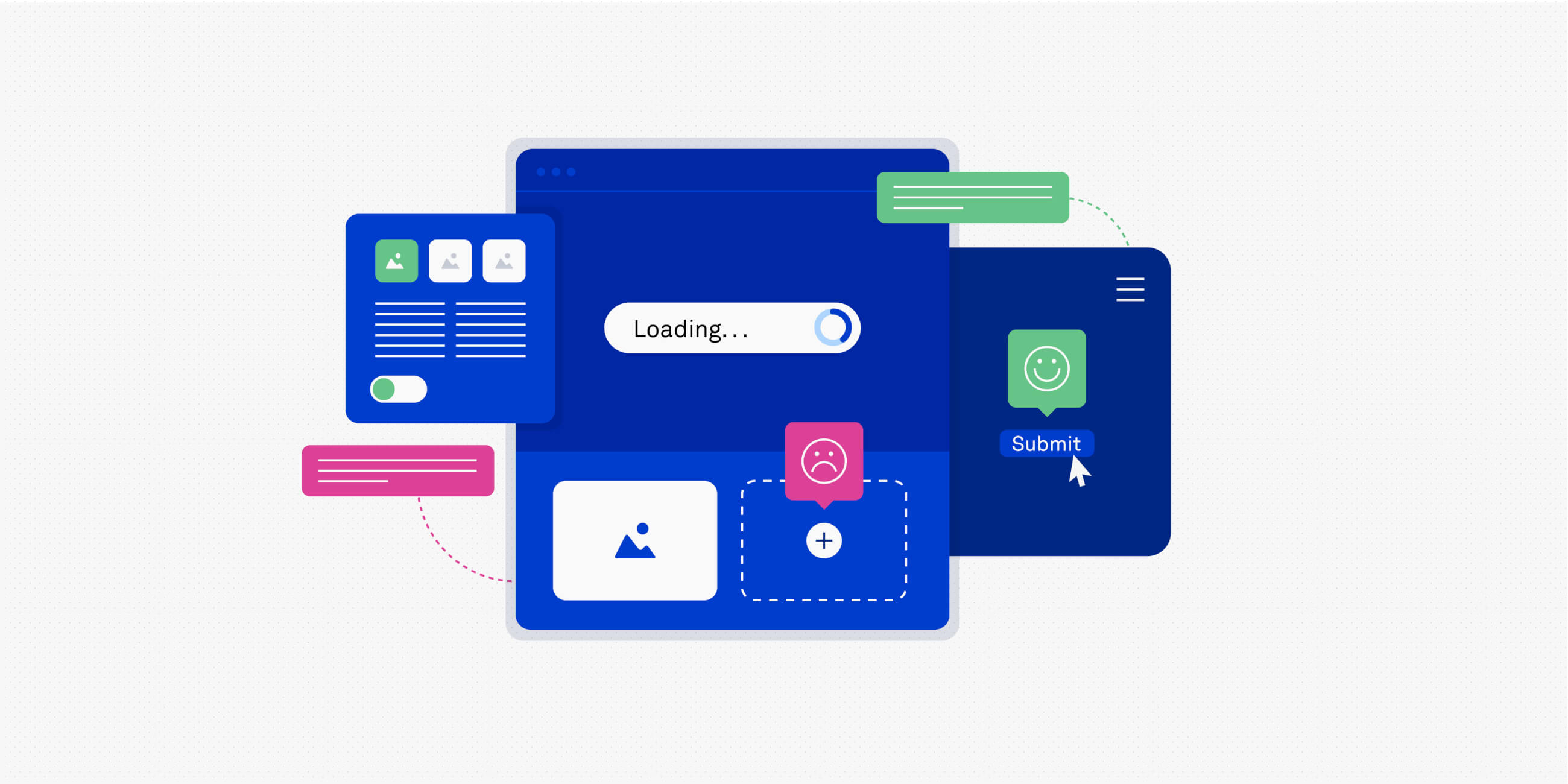
This can be done through usability testing: putting your product or feature in front of real people and observing how easy (or difficult) it is for them to use it.
You can’t build great products without usability testing. In this guide, we’ll show you exactly what usability testing is, why it matters, and how you can conduct your own usability testing for more effective product design. We’ll also show you where AI fits into the process and introduce some of the best AI-powered tools.
What is usability testing?
Usability testing is a user-centred research method aimed at evaluating the usability of digital products.
It involves observing users as they complete specific tasks. This enables researchers and designers to see whether the product is easy to use, whether users enjoy it, and what usability issues might exist within the product. UX designers can then update and improve the product as necessary.
For example: imagine you’re testing an e-commerce app’s checkout process. You observe several users as they attempt to purchase something, and in the process, uncover issues like unclear form fields and confusing payment options. Based on these observations, you can improve the checkout process by simplifying the language used in the forms and presenting the payment options more clearly.
Nowadays, usability testing increasingly combines human-led observation with AI-powered support. While traditional usability testing might rely heavily on manual note-taking and time-intensive analysis, AI is now helping UX teams analyse larger volumes of usability data and uncover recurring patterns much faster. We’ll take a closer look at the role of AI in usability testing later on.
When should you conduct usability testing for UX?
Usability testing is a flexible testing method, and therefore can be used at any point in the design process. You can conduct usability tests on early prototypes, later in the design process on live apps or websites, or during redesigns.
While conducting usability tests can be expensive, it’s much more cost-effective than the alternative: spending time and money getting the product or feature developed, only to find that it doesn’t work as intended and needs to be redesigned and rebuilt.
Usability testing should feature continuously throughout the product design process. Run usability tests to ensure that your early ideas and designs are indeed usable and user-friendly, and continue to run usability tests even after the product is launched. This will help you to improve the product and the user experience it provides, on an ongoing basis.
What are the different types of usability testing?
There are several types of usability testing to choose from, and they each have benefits of their own. In practice, usability testing methods are often combined (and increasingly supported by AI) to provide a more complete picture of how users experience a product.
Qualitative vs. quantitative usability testing
Qualitative usability testing focuses on understanding why users behave the way they do. Why do people find a certain feature intuitive or confusing? Why do they hesitate at certain points, abandon a particular task, or express frustration? This type of testing is especially valuable for uncovering users’ needs, expectations, and subjective experiences.
Quantitative testing explores what happens and how often, with a focus on hard numbers and measurable data, such as the time it takes a user to perform a particular task or how frequently errors occur. These metrics make it easier to compare results across different user groups and track improvements over time.
Both approaches are important. Quantitative data can highlight patterns at scale, while qualitative insights provide the context around why those patterns emerge.
In-person vs. remote usability testing
In-person testing takes place in the same room with the user and the researcher face-to-face. This kind of testing can be more time-consuming and expensive, but there’s nothing like seeing a person’s subtle body language as they navigate your website.
Remote testing takes place online, allowing participants to join from anywhere. This makes it easier to reach a broader, more diverse group of users, and to run tests more frequently.
Remote testing is also where AI-powered tools are most commonly used, supporting tasks such as session recording, transcription, and behavioural analysis.
Moderated vs. unmoderated usability testing
In addition, usability testing can be moderated or unmoderated. Moderated testing involves a researcher guiding the session in real-time, either in-person or remotely. The researcher can ask follow-up questions and probe deeper if something unexpected happens.
Unmoderated usability testing allows participants to complete tasks independently, usually by following a set of written instructions.This is a popular format because it requires the least amount of time and coordination.
In this case, AI is often used to flag usability issues, analyse user behaviour across many sessions, and highlight recurring patterns. However, it cannot ask follow-up questions or explore nuance in the moment, so it’s not a replacement for human interpretation and insight.
Traditional vs. guerrilla usability testing
In traditional usability testing, the user is recruited in advance and sets up a time to come in and take part in the testing session. This approach is best suited to more complex products or higher-risk decisions where deeper insights are required.
Guerrilla, or hallway, usability testing is more informal and spontaneous. Researchers set up a table in a high-traffic public area, and ask random people to participate in their test right then. This allows researchers to choose people with no experience with these kinds of tests to provide feedback about their product for the first time.
Common usability testing methods and techniques
Within those broader types of usability testing, there are a range of methods and techniques you can use. The best method(s) depends on your research goals, what stage the product is at (early idea versus fully developed), and the level of depth required.
Some of the most popular usability methods and techniques used by UX designers include:
Think-aloud protocol
This involves asking users to verbalise their thoughts and actions as they complete certain tasks. As participants describe what they’re trying to do, what they expect to happen, and where they run into issues, researchers gain direct insight into their mental models and usability challenges. This technique works particularly well in a moderated setting.
Heatmaps and analytics
Heatmaps provide visual representations of high engagement areas (e.g. where users click, scroll, and hover the most) and show which areas users pay less attention to. Combining heatmaps with analytics can help you understand users’ behaviour patterns and optimise your website or app. AI is often used here to process large datasets and identify trends more efficiently, but these insights are most valuable when paired with qualitative research.
Learn more: The 7 most important UX KPIs (and how to measure them).
Session recordings
Session recordings capture real users interacting with a website or app, allowing you to watch them back and see how users typically navigate the product and where errors occur. This provides more context than quantitative data alone, and AI-assisted tagging and playback can make it easier to review session recordings at scale.
A/B testing
A/B testing compares two or more design variations to see which performs better against a defined metric, such as conversion rate or task completion. It’s important to note that, while A/B testing provides clear quantitative results, it doesn’t explain why one version performs better than the other, that’s where qualitative testing comes in.
Tree testing
Tree testing is used to evaluate the effectiveness of a product’s information architecture, in other words, how easy it is for users to find the content and information they need.
Participants are asked to locate specific items or information within the website or app, usually without any visual design elements to guide them. This helps researchers understand whether the navigation labels and hierarchy make sense. Tree testing is especially useful in the early stages of design when the overall structure is still being defined.
Where does AI fit into the usability testing process?
AI is now undeniably a core component of the UX designer’s toolkit, and it’s changing many aspects of the UX workflow, including usability testing. So where exactly does AI fit into the usability testing process?
In practice, usability testing is still about observing real users and understanding how they interact with a product, and designers and researchers still rely on all the traditional methods and techniques we covered earlier.
However, AI is changing how certain parts of the process are handled, and it’s helping to make usability testing more efficient and scalable. Most notably, AI can help to:
- Speed up prep work: AI can assist with drafting usability tasks, test scripts, or discussion guides based on defined research goals, giving you a solid starting point that you can refine and build upon.
- Handle transcription and documentation: With AI, you can transcribe usability sessions automatically, making it easier to revisit specific moments, and reducing the reliance on manual note-taking.
- Support analysis across multiple sessions: When running tests with many participants, AI can help group similar feedback and surface recurring usability issues, making patterns easier to spot.
- Flag potential issues in unmoderated usability tests: In remote, unmoderated studies, AI can highlight moments where users hesitate, struggle to complete tasks, or abandon a flow altogether.
- Create first-pass summaries for sharing insights: AI can help generate early summaries of findings, which can be useful when communicating with stakeholders (as long as they’re reviewed against the raw data).
Overall, AI plays a supporting role in usability testing. It’s about scale, speed, and efficiency. What it can’t do is set research goals, ask follow-up questions, or decide which design changes should be made. Nor can it reliably interpret nuance, emotion, or context in the way that humans can.
As such, it’s crucial to understand exactly where AI’s challenges and limitations lie, and we’ll explore those now.
The risks and challenges of using AI in usability testing
AI can be an incredibly valuable supporting tool. But before you integrate it into your usability testing process, you must consider the risks.
One of the biggest potential issues is automation bias. When AI-generated insights or summaries are presented clearly, there’s a temptation to accept them at face value without reviewing the underlying sessions or transcripts. This can lead to important details being overlooked, especially when feedback doesn’t fit neatly into dominant patterns.
AI also has limitations when it comes to interpreting nuance. It can identify what users did, but it often struggles to explain why. Subtle signals such as uncertainty, frustration, or hesitation still require human observation and interpretation.
Bias is another important consideration. AI systems reflect the data they’re trained on, which means some user groups may be overrepresented while others are underrepresented. Without careful oversight, this can reinforce existing blind spots rather than surface new insights.
Last but not least: ethical and privacy considerations. Many AI-powered usability tools process recordings, voice input, or behavioural data. Participants must be informed about how their data will be used, and teams need to ensure it’s handled responsibly and in line with relevant regulations.
So: AI works best as a supporting tool within usability testing, not as a replacement for human-led research. In the next section, we’ll look at how this plays out in practice, with step-by-step guidance on how AI can be incorporated into each stage of the usability testing process.
How to conduct usability testing for UX: A step-by-step framework
Here you’ll find a practical, six-step framework you can follow to run a usability test. We’ll also highlight where and how you can use AI throughout the process.
1. Define the goals of your study
Determine clear goals for your usability test and decide how you’ll measure them. For example, if you have an e-commerce website, you might want to test how easy it is for users to purchase a product and go through the checkout process. You might measure this by evaluating how long it takes the user to complete this task (time on task) or how many errors they make (error rate).
Where AI can help: Here you could use AI to scan and summarise existing research and testing artifacts, such as past usability reports, session transcripts, user feedback, or support tickets. AI can quickly uncover recurring issues or common friction points, enabling you to identify areas that are worth testing again or in need of improvement. That’s a great basis for defining your goals.
2. Write tasks and a script
Usability testing usually involves asking your users (or test participants) to complete a particular task.
Writing tasks for a usability test is tricky business. You need to avoid bias in your wording and tone of voice so you don’t influence your users. As a result, you need to constantly be asking yourself: what should the user be able to do? The answer will allow you to prioritise the testing of the most important functionalities.
For example, say you want to test the checkout process for a clothing app. You need the task to be realistic and actionable, and you don’t want to give away the solution. So a good task would be: “You are looking for a dress for a wedding. Choose the one you like, select your size, and order it.”
The results will provide you with a wealth of information about the buyer’s journey from the troubles they may have encountered to the number of people who actually managed to make a purchase.
Where AI can help: You can use generative AI (tools like ChatGPT, for example) to draft initial task descriptions based on your research goals and product context. You might prompt the tool with a brief description of the feature you’re testing, the type of user you’re targeting, and the outcome you want to observe, then ask it to suggest a set of realistic, goal-based tasks.
AI can also be useful here for reviewing the wording of your tasks. You can ask it to flag potentially leading language, assumptions, or overly specific instructions, for example, enabling you to catch any potential biases that might influence user behaviour. And, of course, any AI-generated output should then be reviewed and refined manually.
3. Recruit participants
There are a lot of ways to recruit people to take part in your study. You can recruit people using email newsletters or via social media for free, or you can use a paid service that will find participants for you. And remember: you don’t need more than five users if you’re doing a qualitative study.
Where AI can help: If you’re recruiting from a larger pool of candidates, you can use AI to review and summarise screener responses at scale. For example, AI can help flag incomplete answers or group participants based on criteria such as experience level, usage patterns, or self-reported behaviours.
AI can also help you sanity-check screener questions by highlighting ambiguous wording or questions that may unintentionally exclude or bias certain users. Final decisions about who to include should always be made by you, but AI can reduce the manual effort involved in narrowing down the right participants.
4. Conduct your usability test
You could conduct your study in-person, which means you will have to be present and guide the user, asking follow-up questions as required. Or you could do an unmoderated study and trust your testing script will do the job with participants. Either way, your participants should get your prepared scenarios and complete your tasks, leaving you with a ton of data to analyse.
Where AI can help: If you’re conducting remote studies, you can use AI to handle session transcription, producing searchable transcripts shortly after the session ends. This makes it easier to revisit specific moments without relying on manual notes alone.
You can also use AI-powered tagging to flag events such as task completion, hesitation, repeated clicks, or errors. In unmoderated tests where you may be reviewing many recordings, AI can help you quickly identify sessions where users struggled or abandoned tasks, allowing you to focus your time on the most informative sessions rather than reviewing every recording in full.
5. Analyse results
Use all the data you gathered to analyse what users did right and wrong during the test. Make sure to pay attention to both what the user did and how it made them feel. Analysis should give you an idea of the patterns of problems and help you provide recommendations to the UX team.
Where AI can help: When you’re working with multiple sessions, you can use AI to help organise and make sense of the data. For example, you can ask AI to group similar comments or behaviours across transcripts, identify recurring usability issues, or summarise common pain-points related to a specific task or flow.
You can also use AI to search across transcripts and recordings. For example, you might use it to pull out all moments where users mentioned confusion or hesitation around a particular feature. While this can significantly speed up analysis, it’s still important to review raw clips, quotes, and sessions yourself to validate patterns and understand the context behind them.
6. Report your findings
Make sure to keep your goals in mind and organise everyone’s insights into a functional document. Report the main takeaways and next steps for improving your product.
Where AI can help: You can use AI to create a first draft of your findings by summarising key themes, pulling quotes from transcripts, or organising insights by task or usability issue. This can be useful when you’re working under time pressure or need to tailor outputs for different stakeholders.
However, AI-generated summaries should always be reviewed and edited. You’ll still need to decide which insights matter most, how strongly to frame recommendations, and how findings should be translated into concrete actions and changes.
The best usability testing tools
The usability testing process relies on a variety of tools, and many of these now incorporate AI by default to speed up manual tasks and support deeper, richer analysis.
In this section, you’ll find a selection of some of the best usability testing tools, including some of the more recent developments in AI that are worth noting.
Popular usability testing tools to consider
- UserTesting: If you’re running usability testing at scale, UserTesting is one of the most established platforms to consider. You can conduct moderated and unmoderated tests, recruit participants from a large global panel, and use AI-assisted transcription and session summaries to speed up analysis. It’s especially useful when you need fast turnaround and access to diverse user groups.
- Lookback: Lookback is ideal for moderated usability testing. You can run live sessions, collaborate with your team in real-time, and use AI-powered transcription to make reviewing sessions easier. It’s a strong option if you value direct observation and discussion alongside AI support.
- UXtweak: UXtweak gives you access to a wide range of usability testing methods, including task-based testing, tree testing, and session recordings. AI features help you organise results and spot patterns, making it a good choice if you want one tool that supports multiple research methods.
- Userlytics: Userlytics allows you to run moderated and unmoderated tests across devices and regions. You can use AI-powered transcription and behavioural tagging to review sessions more efficiently, which is helpful when you’re working with longer or more complex tasks.
- Lyssna (formerly UsabilityHub): Used for quick, unmoderated tests such as first-click testing, preference tests, and navigation studies. AI-assisted reporting helps you surface trends quickly, making it useful for early-stage validation or rapid design decisions.
- Looppanel: If your focus is on analysis rather than test execution, Looppanel can help you organise and synthesise usability data. You can record sessions, generate transcripts, annotate insights, and group findings by question or theme. AI features act as a research assistant, helping you move through data faster without replacing your judgment.
- Maze: Maze is for all things UX research and that includes prototype testing. It integrates standard UX tools like Figma, Sketch, and Adobe XD, and it handles analytics, presenting them as a visual report. Perhaps best of all, Maze has a built-in panel of user testers, and once you release your test, they promise results in two hours. Maze is free for a single active project and up to 100 responses per month, although it costs $50/month (or about €44) for a professional plan.
- UserZoom: UserZoom is an all-purpose UX research solution for remote testing. It can handle moderated and unmoderated usability tests and integrate with platforms like Adobe XD, Miro, Jira, and more. It also has a participant recruitment engine with more than 120 million users around the world. The price of plans for UserZoom varies.
- Reframer: Reframer is part of Optimal Workshop. It’s a complete solution for synthesising all your qualitative research findings in one place. It will help you analyse and make sense of your qualitative research. There are a variety of plans for Reframer as part of the Optimal Workshop suite of UX research tools.
- Hotjar: If you’re using heatmaps or session recordings to complement usability testing, Hotjar can help you understand how users behave at scale. AI-assisted insights make it easier to identify trends, but heatmaps should be used alongside task-based testing rather than as a replacement.
Emerging tools: AI agents and usability simulations
Alongside those long-standing industry staples, there’s a newer category of tools beginning to emerge around LLM-agent-based usability simulations. These tools use large language models to simulate user behaviour, explore interface flows, or stress-test designs before real users are involved.
While these can be useful for early exploration, such as identifying obvious usability gaps or testing assumptions, they cannot (and should not) replace usability testing with real users. Simulated users are based on trained models rather than lived experience, meaning they can miss emotional, contextual, or accessibility-related issues.
At this stage, AI-driven usability simulations are best viewed as a supplementary technique rather than a core research method.
How to choose the right usability testing tools for your workflow
It can be tempting to try out all the latest tools and features as they emerge, but that’s not necessarily the most productive approach. When deciding which tools to use, focus less on whether a tool uses AI and more on how it can support your existing workflow.
The following questions will help you build out a powerful tool stack:
- Which stages of the usability testing process do you need help with, or which aspects could do with streamlining or improving? For example, are you struggling with recruitment, running tests at scale, analysing large volumes of data, or sharing insights with stakeholders?
- What types of usability testing do you run most often? Consider whether you mainly conduct moderated or unmoderated tests, early-stage concept testing, or validation on live products, and then choose tools that are best suited to those use cases.
- How complex are the products or flows you’re testing? More complex products may require deeper qualitative insight and stronger analysis features, while simpler flows may benefit from faster, lightweight testing tools.
- How much oversight do you want during testing and analysis? Some tools prioritise automation and speed, while others are designed to keep you closely involved throughout the research process.
- How easy is it to review and validate findings? Look for tools that make it straightforward to access raw data, such as recordings, transcripts, and quotes, so you can manually check insights rather than relying on summaries alone.
- Who needs access to insights and outputs? Are you looking for a platform that can serve the whole team, or are you working mostly solo? Consider whether designers, product managers, developers, or stakeholders need to view sessions or reports, and how easily insights can be shared and understood.
- What level of scalability do you actually need? Running occasional usability tests may call for lightweight tools, while continuous research initiatives benefit from platforms that support higher volumes and longer-term insight management.
Don’t just use new tools for the sake of it. Consider your needs, your existing workflow, and your current tool stack to see where new or additional tools make the most sense. Usability testing for UX: best practices
There’s a lot to do when you’re running a usability test. Here are some best practices to ensure your usability tests are effective:
1. Get participants’ consent
Before you start your usability test, you must get consent from your users. Participants often don’t know why they’re participating in a usability study. As a result, you must inform them and get their sign off to use the data they provide.
If you’re using AI-powered tools (for example, tools that record sessions, transcribe audio, or analyse behaviour), make this clear upfront. Participants should know how their data will be processed and stored before they agree to take part.
2. Bring in a broader demographic
Make sure you recruit people with different perspectives on your product to your test. You should bring in people from different demographics and market segments. Each demographic will have something different to point out.
When using AI-assisted analysis, be especially mindful of whose data is being represented. AI tends to surface dominant patterns, so you still need to actively look out for edge cases and minority perspectives in your results.
3. Pilot testing is important
To ensure your usability test is in good shape, run a pilot test of your study with someone who was not involved in the project. This could be another person in your department or a friend. Either way, this will help you solve any issues you’re having before you do an official usability test.
Pilot tests are especially important for remote or unmoderated usability tests because test participants will rely heavily on your instructions in these circumstances.
4. Know your goals
Make sure you know what your exact goals are and when the results qualify as a failure. Knowing this in advance will help you run an effective usability study.
5. Consider the length of the test
While you may be able to spend all day testing your product, users aren’t so patient. Make sure the tasks you’ve chosen for your usability study are enough to ensure you’re confident with the results, but not so much that your users are exhausted. If necessary, you can run multiple tests. Remember: asking too much from your participants will lead to poor test results.
6. Don’t outsource interpretation to AI
AI can speed up transcription, organisation, and pattern detection, but interpretation is still your responsibility. Always review raw sessions, transcripts, and quotes to check AI-generated summaries and insights.
Treat AI output as a starting point for analysis, not a conclusion. The most valuable usability insights still come from careful observation and critical thinking.
7. Be transparent with stakeholders
If AI played a role in how insights were generated or summarised, be open about that when sharing results. Make it clear where AI supported the process and where human judgment was applied. Transparency helps build trust in your findings and prevents AI insights from being treated as unquestionable facts.
|
The takeaway
Usability testing is crucial for good UX. It helps you understand how people actually use and interact with your product, enabling you to continuously assess what works and what needs improving.
And, like most aspects of the UX workflow, AI is increasingly being used to support usability testing. Whether it’s helping you draft testing tasks, automatically transcribing sessions, or summarising large volumes of data and picking out patterns, AI can make usability testing much more efficient and easier to scale.
What hasn’t changed is the role of the designer or researcher. You still need to decide what to test, interpret user behaviour, and determine how insights should shape the product. AI can support these decisions, but it can’t make them for you.
So: use AI thoughtfully and selectively. View it as a tool for speed and scalability, not as a replacement for human intuition and insight. Your goal should always be to understand and empathise with your users — no matter what tools help you get there.
If you’d like to learn more about creating awesome user experiences, check out the following:
- Are user research and UX research the same thing?
- The importance of user research in UX design
- How to incorporate user feedback in product design (and why it matters)

Emily is a professional writer and content strategist with an MSc in Psychology. She has 8+ years of experience in the tech industry, with a focus on UX and design thinking. A regular contributor to top design publications, she also authored a chapter in The UX Careers Handbook. Emily also holds a BA in French and German and is passionate about languages and continuous learning.