AI tools are becoming part of everyday UX work. But there’s a big difference between experimenting with AI and knowing how to use it effectively.
That was one of the biggest takeaways for Sarah Wright, a UX designer and business owner who completed all three of the UX Design Institute’s AI courses.
“Knowing what AI can do and knowing how best to use it are two polarising differences for UX designers.”
With more than seven years of experience in UX, Sarah had already worked with major brands including Virgin Media O2, Sykes Holiday Cottages and Edenred. She had also experimented with AI before starting the courses.
I thought I knew a lot about AI and thought I had experimented sufficiently, but the UX Design Institute gave me a lot more from the three courses I took.
So, what changed?
Building a stronger foundation in AI
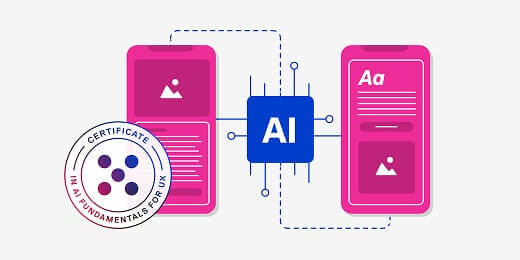
Sarah started with the Certificate in AI Fundamentals for UX, which helped her build a clearer understanding of the technology and where it fits into UX.
The fundamentals course helped me understand where AI came from and how it could fit into my profession as a UX designer with clarity, and how I could apply AI to my work.
For UX professionals, understanding that bigger picture matters. By understanding how AI actually works, it becomes easier to identify where it can genuinely help, recognise its limitations and decide where it fits into an existing UX process.
Rather than using AI simply because a tool is available, you can make more informed decisions about when and how to use it.
Getting practical with AI for prototyping
Sarah then built on those foundations with the Certificate in AI for Prototyping.
This is where AI became much more practical.
Alongside exploring current AI prototyping tools, Sarah developed a more structured approach to prompting, something that stood out across all three courses.
The quality requirements when prompting AI is key. I’m still remembering and adhering to the ICE framework (no spoilers, take the course!) and the ‘garbage in, garbage out’ meme with Oscar the Grouch from Sesame Street representing proudly on screen.
It’s a simple lesson, but an important one: better AI outputs start with better inputs.
For designers, that means giving AI the right context, being clear about what you want to achieve and knowing how to assess and refine what it produces.
Bringing AI into user research
The Certificate in AI for User Research gave Sarah another practical way to bring AI into her UX work.
Together, the prototyping and user research courses helped her move beyond understanding AI towards applying it to real UX tasks.
The Prototyping and User Research courses gave me much more practical applications in my day-to-day life.
AI can support and speed up parts of the UX process, but knowing how to work with it critically is what makes it genuinely useful.
For Sarah, learning how AI can support different areas of UX has given her more ways to use the technology while still bringing her own judgement and expertise to the process.
Three courses and a busy career: How it was possible
Completing three courses might sound like a lot alongside a busy career. As a working UX designer and business owner, flexibility was important to Sarah.
Rather than having to put work on hold to learn, she could fit the courses around her existing schedule. Live sessions gave her the opportunity to ask questions, while recordings and course materials meant she could revisit the learning when it suited her.
I could take the course live once a week, ask questions and get direct answers and follow-ups. I could also revisit the recordings in my own time and work through the course materials at my own pace.
For busy UX professionals looking to build their AI skills, Sarah’s experience shows that upskilling doesn’t have to mean stepping away from your day-to-day work.
Having the flexibility to learn at your own pace can make it much easier to build new skills alongside your existing responsibilities, especially when what you’re learning feels directly relevant to the work you’re already doing.
For Sarah, that meant learning with up-to-date tools and developing AI skills she could see herself applying in her day-to-day work straight away!
The tools used in the courses were up to date and relevant to today, so I felt confident in applying my learned skills moving forward. Overall the course was informative, easy to digest (as has always been my experience with UXDI), supportive and straightforward.
Why understanding AI matters for UX designers
Sarah’s experience highlights a bigger opportunity for UX professionals.
Learning AI isn’t only about finding ways to work faster. As AI becomes part of more products and services, UX designers are increasingly likely to find themselves designing experiences that involve AI too.
Sarah is already seeing this in her own freelance work.
She is currently designing an AI chatbot for a client, where understanding how AI works is helping her approach the project with greater knowledge and confidence.
I am now working on a project designing an AI chatbot as a freelance UX designer, so my expert knowledge of how AI operates is valuable to delivering a much more robust model for my client.
That’s an important shift. UX professionals don’t just need to know how to use AI tools. Understanding how AI works, what it can do and where its limitations lie can also help them design better AI-powered experiences for users.
Completing all three courses helped Sarah bridge the gap between experimenting with AI and applying it with purpose.
And for UX professionals wondering where to begin, her experience offers a useful progression: understand AI first, explore where it can support your UX work, and build the confidence to apply that knowledge to the products you design.
If Sarah’s story has inspired you to explore AI further, here are a few practical guides to help you get started:
How to design for trust UX: 7 best practices for explainable AI interfaces
11 AI prompts every UX designer should save